Sendvo Data

Better data.Ready to mail.

Use direct mail audience targeting with local geography, your own list, or licensed property and mortgage records. Then prepare and review the addresses before the campaign.

Property and mortgage mailing data is available through iLeads.

Audience workspace Live check
01 / Sources

Find the audience

Local homeownersMap
Mortgage signalsData
Life eventsData
Owned listCSV
02 / Operations

Make it mailable

94%

Campaign-ready addresses

StandardizedDone DuplicatesRemoved VerifiedDone
Ready for campaign review
Two equal capabilities

Find it.
Prepare it.

Good direct mail needs both parts. Start with an audience that fits the campaign. Then apply the address and list controls that make it ready to send.

Capability01

Data Sources

Use local targeting, owned lists, or licensed audience signals. Choose the direct-mail audience data that fits the campaign.

  • Property and mortgage data through iLeadsRequest licensed mailing addresses based on available property, ownership, mortgage, loan, geography, and timing criteria.Request a custom audience →
  • Distress life eventsUse licensed foreclosure and tax-lien signals where suitable.
  • Automotive signalsBuild audiences from subprime, bankruptcy, and used-car prospect data.
  • Additional vertical dataExplore other licensed datasets for specialized campaign needs.

Licensed signal availability, coverage, refresh, and permitted use depend on the provider and campaign context.

Capability02

Data Operations

Use mailing list data processing to turn source records into a controlled audience that is ready for campaign review.

  • Standardize and verifyNormalize addresses, verify deliverability, and apply change-of-address updates.
  • Deduplicate and suppressConfigure match rules and stop prior-mail records from receiving repeat mail.
  • Build with existing columnsUse an AI-assisted formula builder to create fields from campaign data you already have.
  • Review campaign readinessSee address-quality signals across lists, imports, maps, and targeting.
Built for the way you mail

Local first. Specialized when needed.

Most local businesses start with a service area, an owned customer list, or EDDM. Licensed specialty signals support focused use cases. They do not replace the simple local path.

Local targeting

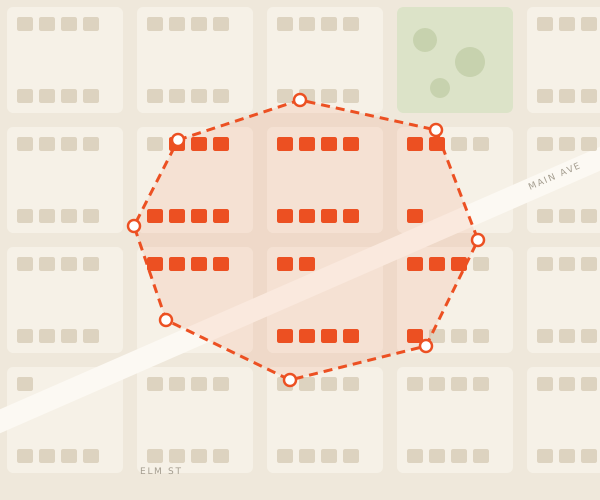
Build around ZIP codes, map areas, and the places your business serves. Review maps and targeting.

Common path

Owned lists and imports

Bring customer, lead, or prospect records into a controlled audience. Review lists and imports.

Your data
+

Licensed signal data

Use iLeads property and mortgage data, plus other specialty sources, when the campaign needs a more specific audience. Review Audience Builder.

Focused use
Campaign data operations

Mailing list data processing you can review.

Data quality is part of campaign planning. Review what changed, what was removed, and what needs attention before you approve the audience.

01

Standardize

Put address fields into a consistent mailing format.

02

Deduplicate

Choose matching rules that fit the list and campaign.

03

Suppress

Remove records that already received mail within your selected window.

04

Verify

Check addresses and apply change-of-address updates before review.

Campaign-readiness signals connect the result to the Audience Builder, lists and imports, maps and targeting, and address-quality review.

AI-assisted formula builder

Use the columns you already have.

Describe the campaign field you need. Sendvo helps create a formula from existing columns, so you can prepare audience data without changing the source file first.

Preview results before you apply a formula.
Keep the original imported values available for review.
Use prepared fields in campaign content and audience rules.
New campaign column Preview mode

Create a friendly first name. Use “Neighbor” when first_name is empty.

IF(first_name = "", "Neighbor", PROPER(first_name))
Jerry → Jerry empty → Neighbor
Go deeper

Data guides and next steps.

Review the address-quality details, then continue to the Sendvo capability that matches your next campaign decision.

Build an audience you can trust.

Start with local targeting, bring your own list, or request property and mortgage mailing data through iLeads. Then prepare the records for campaign review in one place.