Sendvo Automation
Direct mail automation.
Sendvo is direct mail automation software for repeat campaigns. Turn a business event into a reviewed campaign. After submission, mail can go out within 48 hours. Follow each addressed piece through USPS.
- Review before print
- Addressed-mail tracking
- No setup fees
How it works
Trigger, connect, and track.
-
Workflows and triggers
Set the rule once
An event starts the same mail every time.
Explore workflows and triggers -
Integrations
Start from your tools
Recipes for Zapier, CRMs, and webhooks.
Explore integrations -
Delivery tracking
Follow every piece
Production and mailstream status in one place.
See delivery tracking
Read the direct mail workflow guide, or see automation for real estate investors, agencies, and home services.
First workflow
Plan one workflow before you scale.
- Define the eventSay, a last service six months ago.
- Check eligibilityApply duplicate and suppression rules.
- Set the release rulePick the artwork, budget, and reviewer.
- Measure the outcomeLog replies apart from mail status.
Delivery tracking
Know where the mail is moving.
- Production statusSubmitted, printed, and mailed.
- Mailstream eventsDelivery updates as USPS records them.
- One campaign viewNo consultant needed.
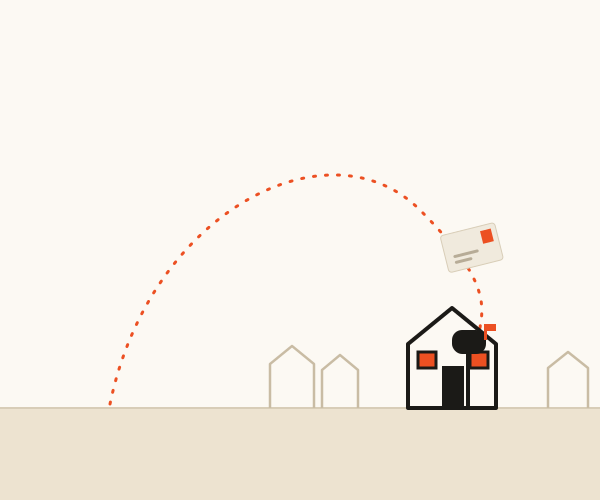 Sample campaign
Tracking events describe processing and delivery status. They do not prove that a recipient saw or responded to a mailpiece.
Automation FAQ
Clear answers before you connect.
Last updated: September 22, 2026.
Plans: list upload, dedupe, and automated mail need Operator or Growth. Integrations and API access need Growth.
What is direct mail automation?
Direct mail automation uses workflow rules and business events to prepare and submit mail without rebuilding every campaign by hand. A trigger can start the workflow, Sendvo can move the approved campaign into production, and delivery tracking can show the mailstream status.
How fast does Sendvo send automated direct mail?
After campaign submission, mail can go out within 48 hours. Delivery timing after mailing depends on USPS operations, the destination, address quality, weather, and other mailstream conditions.
Do I need a developer to automate direct mail?
Not always. A no-code tool can handle some trigger, filter, and mapping work. The exact path depends on current Sendvo access and the connected tool. Confirm connector, API, or webhook availability before implementation.
Can I track automated direct mail?
Yes. Delivery tracking shows available production and mailstream events for submitted pieces. These events describe processing and delivery status; they do not prove that a recipient viewed or responded to the mail.
Connection guides
Start with the guide for your tool.
More: Follow Up Boss recipe · Webhook planning · Automation tools guide · Data · Creatives · Send postcards online · Pricing · EDDM services and pricing · Product tour
Send mail while the moment still matters.
Start free on Local. Move to Operator when you're ready to automate.