Compare
Sendvo vs Click2Mail.
Choose Sendvo for operator automation: triggers, map audiences, niche lists, and USPS tracking. Choose Click2Mail for a classic portal where you upload lists and place print jobs batch by batch.
- No setup fees
- No contract
- per 4×6 postcard (92 credits), Local
- $0.92
- per 6×9 postcard, Local
- $1.19
- per 6×11 postcard, Local
- $1.59
- setup fees
- $0
Side by side
Sendvo vs Click2Mail at a glance.
Last updated · October 11, 2026. Competitor cells reflect public positioning then.
| Feature | Sendvo | Click2Mail |
|---|---|---|
| Best for | Operators who want triggers, map audiences, niche lists, and USPS tracking. | Teams comfortable with a classic online mailer: upload a list, submit the job. |
| Send setup | Build a map audience, design, and approve in the browser. | Portal turnaround: upload list, attach creative, submit. |
| Engineers required | No — operators and marketers work in Sendvo. | No — portal-based; no coding for standard sends. |
| Minimums | No minimum order; one piece at the published rate. | Click2Mail states no minimum volume requirements. Check terms for your product. |
| Pricing transparency | Published all-in per-piece rate card. | Per-job pricing in the portal; compare all-in cost per piece. |
| Creative / designer | Browser editor, templates, merge tags, and in-app proofs. | Upload your own PDFs or use Click2Mail's design tools. |
| Tracking | USPS tracking events for addressed mail, plus campaign history. | Tracking and delivery confirmation vary by mail class and product. |
| Geo audiences | Map, ZIP, county, and state targeting built in. | Upload targeted lists; Click2EDDM offers an online EDDM workflow. |
| Niche lists | REI and mortgage lists requested through Sendvo. | Upload your own lists or buy mailing lists from Click2Mail. |
| Address checks / dedupe | Address verification; dedupe on Operator and Growth. | Address tools vary by product. Check list hygiene options before upload. |
Design + approve
See the price before you send.
Nothing prints until you approve the proof and the price.
See how design works
Audience
Draw the area. Get the homes.
Map, ZIP, county, or state audiences. Request investor and mortgage lists through Sendvo.
How maps and targeting work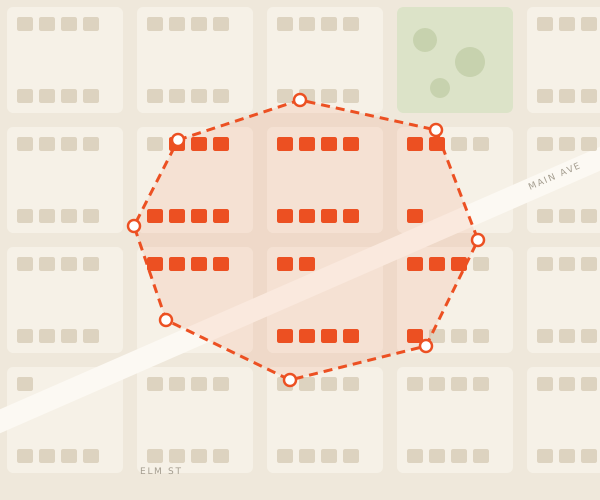 Sample campaign
FAQ
Straight answers before you pick.
Plans: list upload, dedupe, and automated mail need Operator or Growth. Integrations and API access need Growth.
What is the main difference between Sendvo and Click2Mail?
Sendvo is built for operator automation — triggers, map audiences, niche lists, and USPS tracking in a modern campaign workflow. Click2Mail is a long-established online mailer where you upload lists and place print jobs through a portal.
Can Click2Mail build map-based audiences like Sendvo?
Click2Mail accepts uploaded lists, sells mailing lists, and offers Click2EDDM, which maps USPS carrier routes for EDDM. Sendvo includes map, ZIP, county, and state audience tools. REI and mortgage lists can be requested through Sendvo.
How does pricing compare between Sendvo and Click2Mail?
Sendvo publishes plan fees and an addressed-mail per-piece rate card with postage, print, verification, and tracking bundled. Click2Mail prices per job in the portal — compare total all-in cost per piece including any add-ons for your format and class.
When is Click2Mail the right choice?
Click2Mail fits teams comfortable with a classic upload-and-send portal and batch-oriented jobs. It also sells mailing lists and offers APIs and CRM automation through Click2Mail Connect. Choose Sendvo when you want map audiences, niche list requests, and automated campaigns in one operator workflow.
Map it, price it, mail it.
Create a free workspace and send your first postcard.